E-commerce Launchpad

Your idea deserves a store.

Take the first step toward building something of your own. A guided 21-day programme to choose a product direction, work through starter-store setup, and learn how to market it.

See what’s included

₹1,999 one-time programme fee

Programme preview. Enrolment is not open yet.

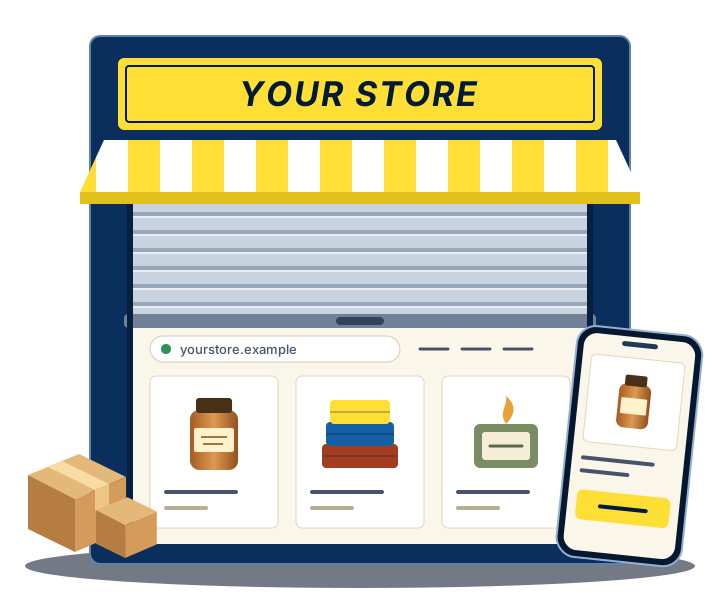
Illustration: a shop shutter rolling up to show an online store with three products, and the same store on a phone.
Illustration only. Not a client store.

The programme at a glance

  • 21 daysGuided learning journey. The length of the programme, not a deadline for a live store.
  • 3 stagesProduct, then store, then marketing.
  • 3 live workshopsIn a group on Microsoft Teams: Store, Meta Ads, Google Ads. First session: Store, 17 November 2026, 7:30 PM IST.
  • 2 personal sessionsOne-to-one mentoring, 30 minutes each.
  • ₹1,999The final one-time amount you pay for the programme, including one year of starter-store hosting. Your domain name is a separate cost. Other running costs are still being confirmed.

Where most people get stuck

E-commerce starts with a plan.

You may already have saved the videos. Which platform, which payment gateway, how to run ads, how to ship. Each one answers a question you haven’t reached yet.

The hard part is rarely a shortage of information. It’s the order. What do you decide first? What can wait? What depends on what?

You don’t need to make every decision on day one. Start with what you’ll sell, then work through the store and marketing decisions in sequence.

My e-commerce plan

  1. Choose a product directionWhat will I sell, and to whom?
  2. Set up a starter storeWhere will people see it and buy it?
  3. Learn the marketingHow will the right people find it?
  4. LaunchWhen you’re ready. Your call, on your timeline.

The first three are the programme. The fourth is the direction you’re heading in.

Who it’s for

Two starting points, one path

You have an idea

Start with what you want to sell.

You’ve thought about selling something online, perhaps for a while. You’re not sure which product, who it’s for, or what you need to decide before a store makes sense.

  • You’re new to e-commerce.
  • You want a clear first step, not a business plan.
  • You’d like someone to check your thinking.
You’ll spend most time in Stage 1

You already have products

Take your business online.

You make something, or you run a shop. Customers already buy from you over the counter, by phone or on WhatsApp. You want to learn how to present those products through your own online store.

  • Your products exist. A storefront for them doesn’t.
  • You want to understand the work before you commit to it.
  • You’ll still handle your own stock, packing and delivery.
You’ll spend most time in Stage 2

The 21-day learning path

Product. Store. Marketing.

Three stages, in the order the decisions depend on each other. Each one has its own chapter below.

  1. Product selection guidanceDecide what to sell and who it’s for.
  2. Starter store setupWork through what a first storefront needs.
  3. Meta + Google Ads trainingLearn enough to plan a careful first test.

21 days is the length of the learning journey. It is not a deadline for a published store or a first sale. The first live session, the Store workshop, is on 17 November 2026 at 7:30 PM IST. How the days are divided between stages will be published with the full schedule.

Stage 1 of 3 · Product

Choose a product direction

Everything after this depends on it. Your store’s pages, your photos, your prices and your ads all follow from what you sell and who it’s for.

This stage is product selection guidance. You’ll work on a direction you can explain in a sentence, whether you’re starting from an idea or narrowing down a range you already make.

Guidance helps you think it through. It is not a promise of a “winning product”, and no one can guarantee demand.

Questions you might work through

  • What will I sell first, and what can wait?
  • Who is it for, in plain words?
  • What does it cost me to make, pack and send one?
  • What do people already pay for something similar?
  • Why would someone buy it from me?

Illustrative examples. Session content will be confirmed with the cohort schedule.

Stage 2 of 3 · Store

Your products. Your own website.

Bring your product idea into an online store. This stage is starter store setup: the essentials a first storefront needs, without trying to build everything at once.

Redpill Digital builds your starter store using its own tools. You own your store account and domain. A starter store is a beginning. It is not a fully custom website, and it doesn’t need to be.

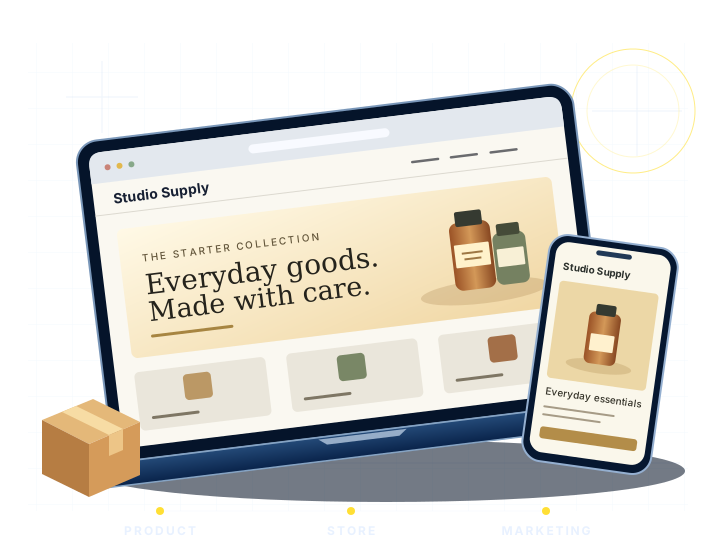
Illustration of a sample online product page shown on a laptop and a phone.
Illustrative example. Not a client store or a preview of what you will receive.

What a first storefront usually needs

  1. A name, and one line that says what you sell.
  2. Clear photos and honest descriptions of each product.
  3. Prices, and how delivery works.
  4. A way for customers to pay.
  5. How to reach you, and your policies.

Three questions buyers ask about the store

Who builds the store?
Redpill Digital builds your starter store using its own tools. You own your store account and domain. The store is built with online checkout. Once your payment account is approved, we’ll guide you step by step as you connect it to your store. Customers can pay online after the account is connected. You bring the product direction, photos and details. The rest of what the setup includes, and how the store is handed over to you, are still being confirmed and will be published before enrolment opens.
Who owns it?
You do. The store account and the domain are yours. Redpill Digital hosts your store after handover, and one year of hosting is included in the programme fee.
What are the separate costs?
Your ₹1,999 programme fee includes one year of Redpill Digital hosting, starting on the day your starter store goes live. Your domain is paid for separately. The renewal price, and what happens if you don’t renew, are still being confirmed. So are other ongoing costs, payment gateway charges, shipping and stock. See the cost list.

Stage 3 of 3 · Marketing

Learn Meta and Google Ads before you spend on them

Advertising is where beginners most often lose money by guessing. This stage is training in the fundamentals of both platforms, so that your first test is a decision and not a gamble.

  • Training, not ad credit. You learn how the platforms work. No advertising credit or budget is promised with the programme.
  • You run your own campaigns. Campaign management is not part of the programme.
  • No guarantees. Training cannot promise ad approval, sales or returns.

A first test plan Illustrative

What am I testing?
One product, one audience, one message.
What will I spend?
An amount I choose in advance and can afford while I learn.
What will I look at?
Decided before the test starts, not after.
When do I stop and review?
A date in the calendar.

How you’ll learn

Don’t just watch. Start building.

Free tutorials are useful, and you can keep using them. What a video can’t do is look at your product, your page or your plan. The Launchpad pairs each topic with your own work, starter-store guidance and personal mentoring.

Watching on your own

  • Advice made for someone else’s product.
  • No one checks the decisions you make.
  • Easy to pause for a week, then a month.

Working through the Launchpad

  • You apply each topic to your own product.
  • You bring your questions to a live workshop.
  • You take what’s specific to you into a personal session.

What you’ll be working on

  • A product direction, written down.
  • Your starter-store setup.
  • A plan for a first advertising test.

How far you get in 21 days depends on your starting point and the time you put in. No learner results are shown on this page because no cohort has completed the programme yet.

Live support

Guidance, not guesswork.

Three live group workshops to learn the process together. Two personal mentoring sessions for the questions that are only about you.

Three live group workshops

  1. Workshop 1Store

    Setting up a starter store, and the choices that come with it.

    First session · 17 November 2026, 7:30 PM IST

  2. Workshop 2Meta Ads

    How advertising on Facebook and Instagram works, and how to plan a first test.

    Date to be confirmed

  3. Workshop 3Google Ads

    How advertising on Google works, and when it suits a new store.

    Date to be confirmed

The first live session is the Store workshop, on 17 November 2026 at 7:30 PM IST, live on Microsoft Teams. Dates for the Meta Ads and Google Ads workshops, detailed agendas, duration and whether recordings are provided are to be confirmed before enrolment opens.

Two personal mentoring sessions

  • Session 1One-to-one · 30 minutes
  • Session 2One-to-one · 30 minutes

Make 30 minutes count. A short session works best when you arrive with something specific.

  • Bring one decision you’re stuck on.
  • Share what you’ve drafted so far.
  • Write down your next steps before the call ends.

After your payment is verified, you receive your meeting link by email. Who your mentor is, and how the two personal sessions are booked or rescheduled, will be confirmed before enrolment opens.

Before you decide

Who this suits, and the effort it takes

A good fit if you

  • Are a beginner with a product idea, or a maker or shop owner with products ready.
  • Want a clear order of steps and someone to ask.
  • Are willing to do the work on your own product and store.

Probably not for you if you

  • Want a store run for you without your involvement.
  • Expect guaranteed sales, income or ad approval.
  • Already sell online and need advanced scaling help.

What it asks of you

  • Attend three live workshops.
  • Use your two personal sessions.
  • Set aside regular time between them for your own work.

A weekly time estimate will be published with the cohort schedule.

This is a guided learning programme. It does not guarantee a live store by day 21, sales, income or ad approval.

E-commerce Launchpad

Your e-commerce journey starts here.

A guided beginner programme to build, learn and market your own online store. One fee, and a plain list of what it covers. ₹1,999 is the final one-time amount you pay for the programme.

₹1,999One-time programme fee

What the fee covers

  • 21-day guided learning journey
  • Product selection guidance
  • Starter store setup + 1 year of hosting included. Domain paid separately. exact scope to be confirmed
  • Online checkout included. We’ll guide you through connecting your approved payment account.
  • Three live workshops: Store, Meta Ads and Google Ads
  • Two personal mentoring sessions, 30 minutes each

Costs to plan for separately

  • Your domain name. You pay for it, and you own it.

Not yet confirmed as included or separate

  • Subscriptions and other ongoing costs
  • Stock, packaging and shipping
  • Payment gateway charges
  • Advertising spend on Meta and Google. The programme is training; no ad credit is promised.

First live session

  • Store workshop: 17 November 2026, 7:30 PM IST, live on Microsoft Teams

Still being confirmed

  • Tax and invoice details
  • Exactly what the starter-store setup includes, and how it is handed over
  • The hosting renewal price, and what happens if you don’t renew
  • The payment provider for your store, its gateway fees, and how long activation takes
  • Dates of the Meta Ads and Google Ads workshops, duration, recordings and language
  • Your mentor, and how the two personal sessions are booked
  • The full refund, cancellation and rescheduling terms. A refund request window of 24 hours from the time of payment is planned.
Enrolment is not open.

The exact setup scope, the remaining dates, other costs and the customer terms will be confirmed before payment opens. There is nothing to pay or sign up for on this page.

Once enrolment opens

What happens after you enrol

This is the planned sequence. It will be confirmed, with dates, before payment opens.

  1. You pay once, through a hosted checkout.Payment details are entered with the payment provider, never on this site.
  2. You see a confirmation on screen.It includes an enrolment reference. Keep it. It is your proof of enrolment.
  3. A confirmation email follows.If the email is delayed or doesn’t arrive, your enrolment still stands.
  4. Your meeting link is emailed to you.It is for the live sessions on Microsoft Teams, and is sent after your payment is verified. How the two personal sessions are booked is still being confirmed.

If a payment ever looks unclear, for example money debited but no confirmation, you won’t be asked to pay again. The payment is checked first.

Honest answers

Questions to settle before you pay

Where something isn’t decided yet, the answer says so.

Do I need a product before I start?

No. The programme is for people with a product idea as well as people who already have products. Product selection guidance is the first stage.

Does ₹1,999 get me a finished, custom website?

No. Redpill Digital builds your starter store using its own tools. You own your store account and domain. It is a starter store, not a bespoke site, and exactly what the setup includes is still being confirmed.

Will my store be able to take online payments?

Yes. Redpill Digital builds your starter store with online checkout. Once your payment account is approved, we’ll guide you step by step as you connect it to your store. Customers can pay online after the account is connected. Approval of a payment account is not in Redpill Digital’s hands, so no approval or activation date is promised. The payment provider, gateway fees and activation timing are still being confirmed.

Who owns the store and the domain?

You do. The store account and the domain are yours.

Who hosts my store?

Redpill Digital hosts your starter store after handover. Your ₹1,999 programme fee includes one year of Redpill Digital hosting, starting on the day your starter store goes live. Your domain is paid for separately. You own the store account and the domain. The renewal price, and what happens if you don’t renew, are still being confirmed. They will be published before enrolment opens.

What else will I need to pay for?

₹1,999 is the final one-time amount you pay for the programme. Your domain name is a separate cost. One year of Redpill Digital hosting is included in the fee, starting on the day your starter store goes live. The renewal price after that year is still being confirmed. So are other ongoing costs, stock, packaging, shipping and payment gateway charges. Meta and Google Ads are covered as training; no advertising credit is promised.

Will my store be live, or making sales, by day 21?

That isn’t promised. 21 days is the length of the learning journey. Progress depends on your starting point and the time you put in. No sales, income or ad approval is guaranteed.

How do the workshops and personal sessions work?

There are three live group workshops, on Store, Meta Ads and Google Ads, and two one-to-one mentoring sessions of 30 minutes each. The first live session is the Store workshop on 17 November 2026 at 7:30 PM IST, live on Microsoft Teams, and your meeting link is emailed after your payment is verified. The Meta Ads and Google Ads dates, duration, recordings and how personal sessions are booked are to be confirmed.

Why pay when there are free tutorials?

You may not need to. If you’re making steady progress alone, keep going. The programme adds an order to follow, live sessions, and two conversations about your own plan.

What is the refund or cancellation policy?

A refund request window of 24 hours from the time of payment is planned. The full refund, cancellation and rescheduling terms are awaiting approval. They will be published before payment opens, and you should read them before paying.

When can I enrol?

Enrolment isn’t open. It will open after the exact setup scope, the remaining dates, other costs and the customer terms are confirmed.
Take the first step when the details are final.

Until then, the most useful thing you can do is read what’s included, and what’s still open, so you can decide with clear eyes.